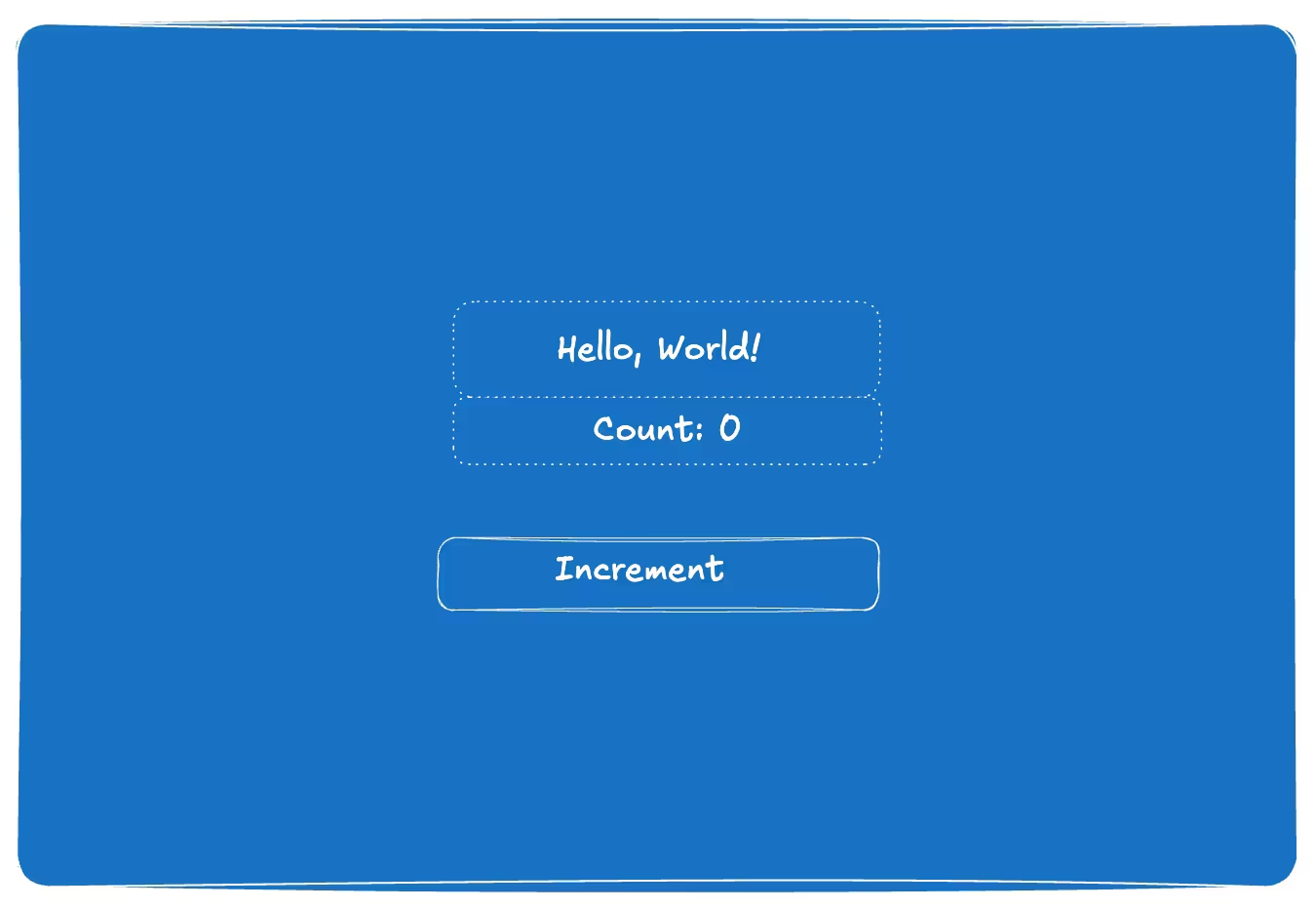
Have you ever wondered what really happens under the hood in React when you create a component or use a specific hook?
Lately, I’ve popped the hood to find out—and it’s been eye-opening. This deeper understanding has helped me make better architectural decisions, fine-tune performance, and debug issues much more effectively.
If you’re curious about how React works behind the scenes, you’re in the right place. Let’s start with one of the fundamentals: the Virtual DOM.
When you open a web page, the browser retrieves HTML from the server and parses it. It then constructs a structured representation of the document and renders the page you see on screen.
This representation is known as the Document Object Model (or Real DOM for short). The great thing about React is that it doesn’t make changes to the Real DOM immediately. Instead, it maintains a lightweight, in-memory representation called the Virtual DOM.
The Virtual DOM acts like a blueprint of the UI. When something changes (such as state or props), React updates this blueprint in memory. It then runs its reconciliation process to compare the new Virtual DOM with the previous one, calculates the minimal set of changes needed, and batches them before applying those updates to the Real DOM. This results in highly efficient rendering, especially for dynamic and complex applications.
tsx
import { useState } from "react";
import "./styles.css";

const App = () => {
  const [count, setCount] = useState(0);

  return (
    <div className="container">
      <h1>Hello, World!</h1>
      <h2>Count: {count}</h2>
      <button onClick={() => setCount(count + 1)}> Increment</button>
    </div>
  );
};

export default App;
In the image above, we have JSX representing a counter. Most React code is written in JSX because it improves readability and allows us to embed HTML-like syntax directly within JavaScript.
However, the Virtual DOM is not made of JSX. Instead, JSX is transpiled into JavaScript as a series of React.createElement calls. These produce a tree of React elements — lightweight JavaScript objects that describe the desired UI.
Stack Reconciler
Before React 16, React used a stack-based algorithm to compare the current virtual DOM tree with the old virtual DOM tree.
One of the main issues with using the stack reconciler was that it executed updates synchronously. Such an approach led to problems because updates were executed in the order they were received.
tsx
import React, { useState } from "react";
import Graph from "./Graph";

const App = () => {
  const [text, setText] = useState("");

  return (
    <div>
      {/* Computationally expensive component */}
      <Graph />
      <input value={text} onChange={(event) => setText(event.target.value)} />
    </div>
  );
};

export default App;
For instance, consider the component above. It contains both a Graph and an Input field. Suppose the graph is computationally expensive because it processes a large amount of stock data. In this case, re-rendering the expensive Graph component would block the input from updating immediately, resulting in an observable lag.
What if we want to prioritize the input field? With the Stack Reconciler, this was not possible–meaning less important updates could take precedence over higher-priority ones.
Since there was no sense of priority and updates could not be interrupted or cancelled, the React team developed the Fiber reconciler.
The Fiber Reconciler
The Fiber reconciler enables prioritized, incremental updates that can be paused, resumed, or abandoned—greatly improving application performance and responsiveness. It operates on the Fiber tree, a data structure composed of Fiber nodes, where each node represents a unit of work.
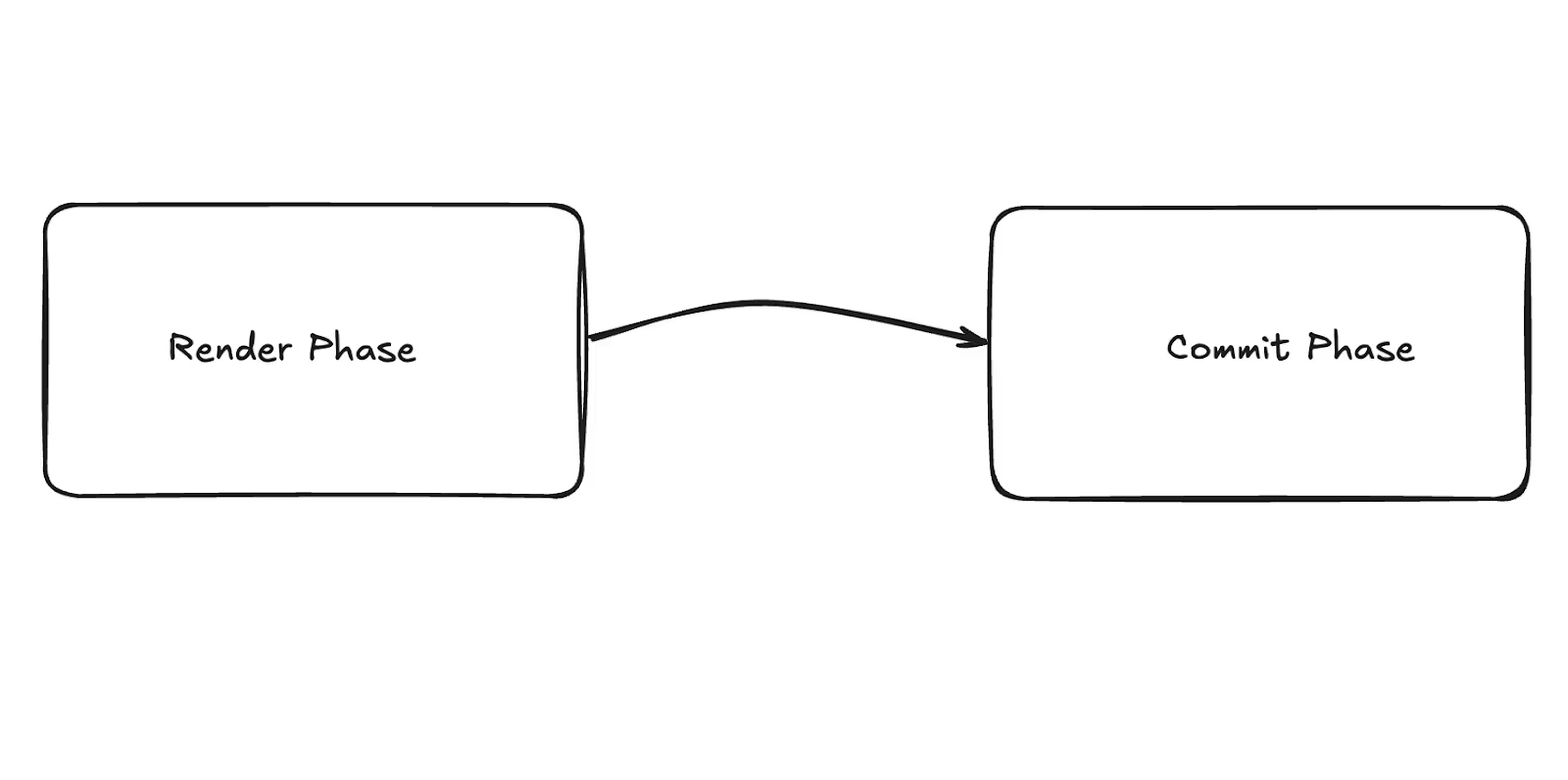
After a render is triggered (e.g., initial mount or state change), React updates the UI in two phases: the Render Phase and Commit Phase.
Render Phase:
The render phase is interruptible, which means it can be paused, resumed, or abandoned before committing changes to the DOM.
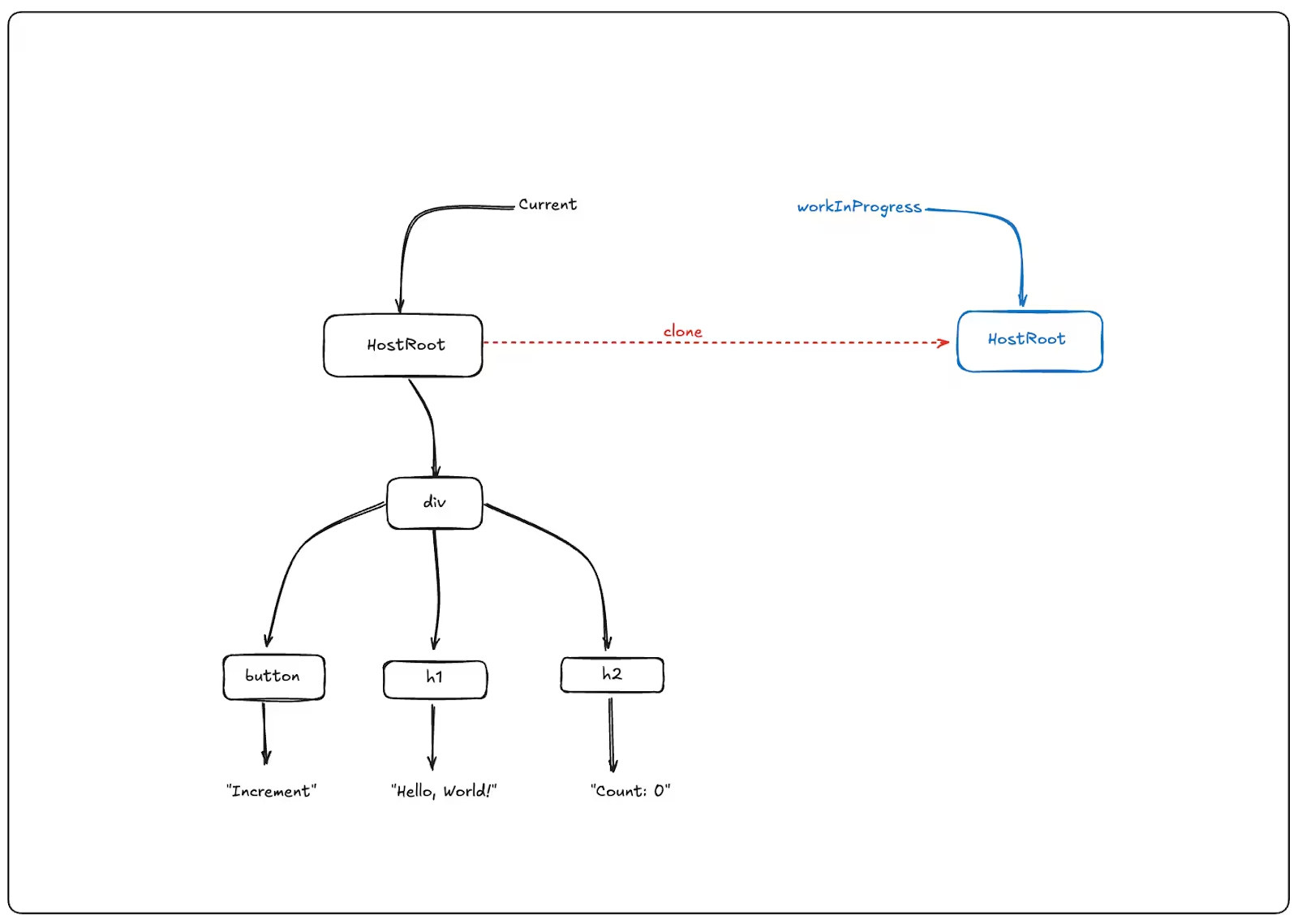
React maintains a pointer to the current fiber tree and compares the Current Fiber Node with the Work-In-Progress Fiber node. If there are no changes between the previous and new versions, it clones the node. In the image above, since there are no changes to the HostRoot, React can simply clone the Fiber Node.
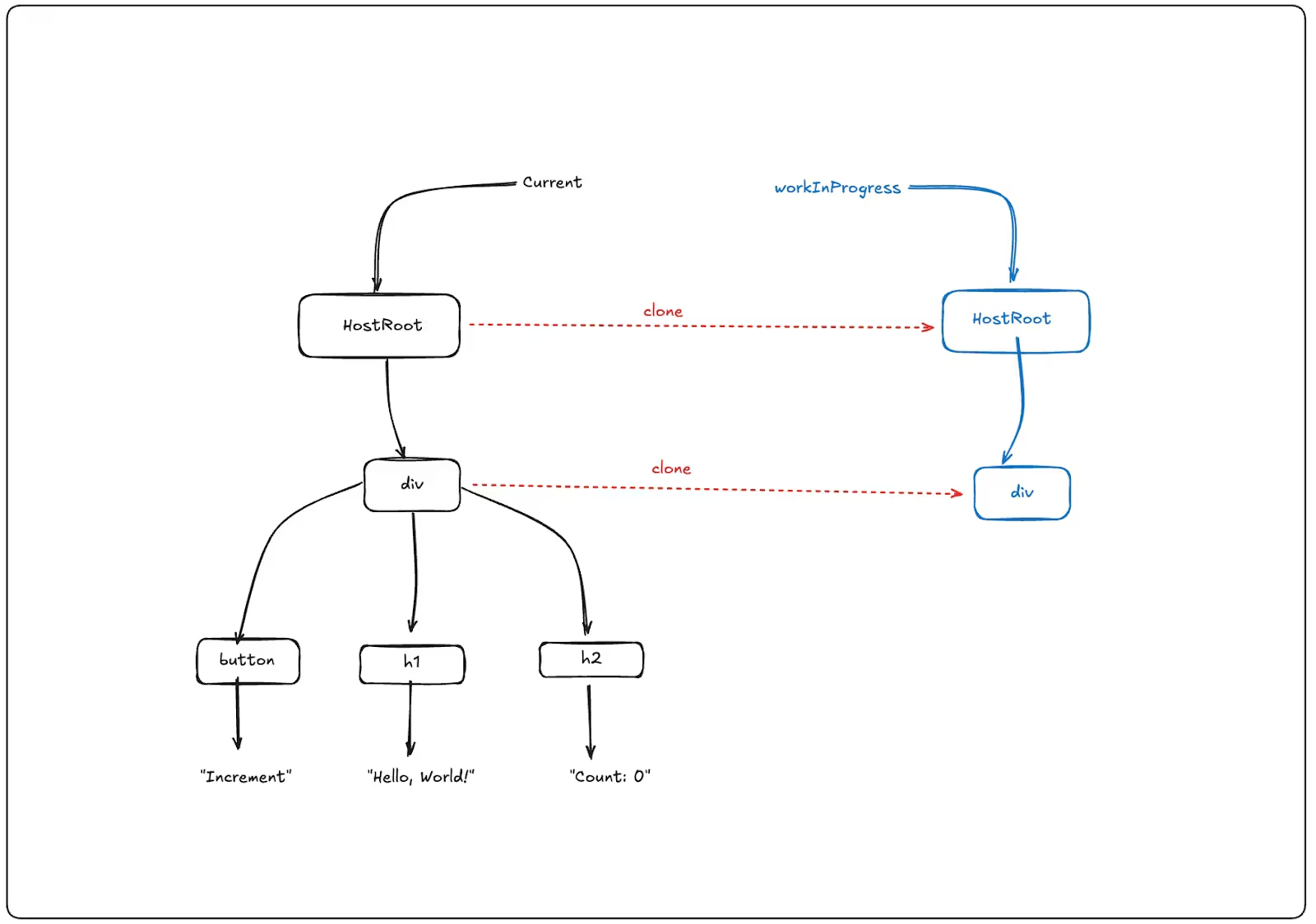
The traversal continues down the current tree, where the beginWork function executes. The function is responsible for comparing the old and new versions and setting side-effect flags to indicate whether the node requires an update. In the example above, since the div component has no changes, React clones the current Fiber nodes for the Work-In-Progress tree.
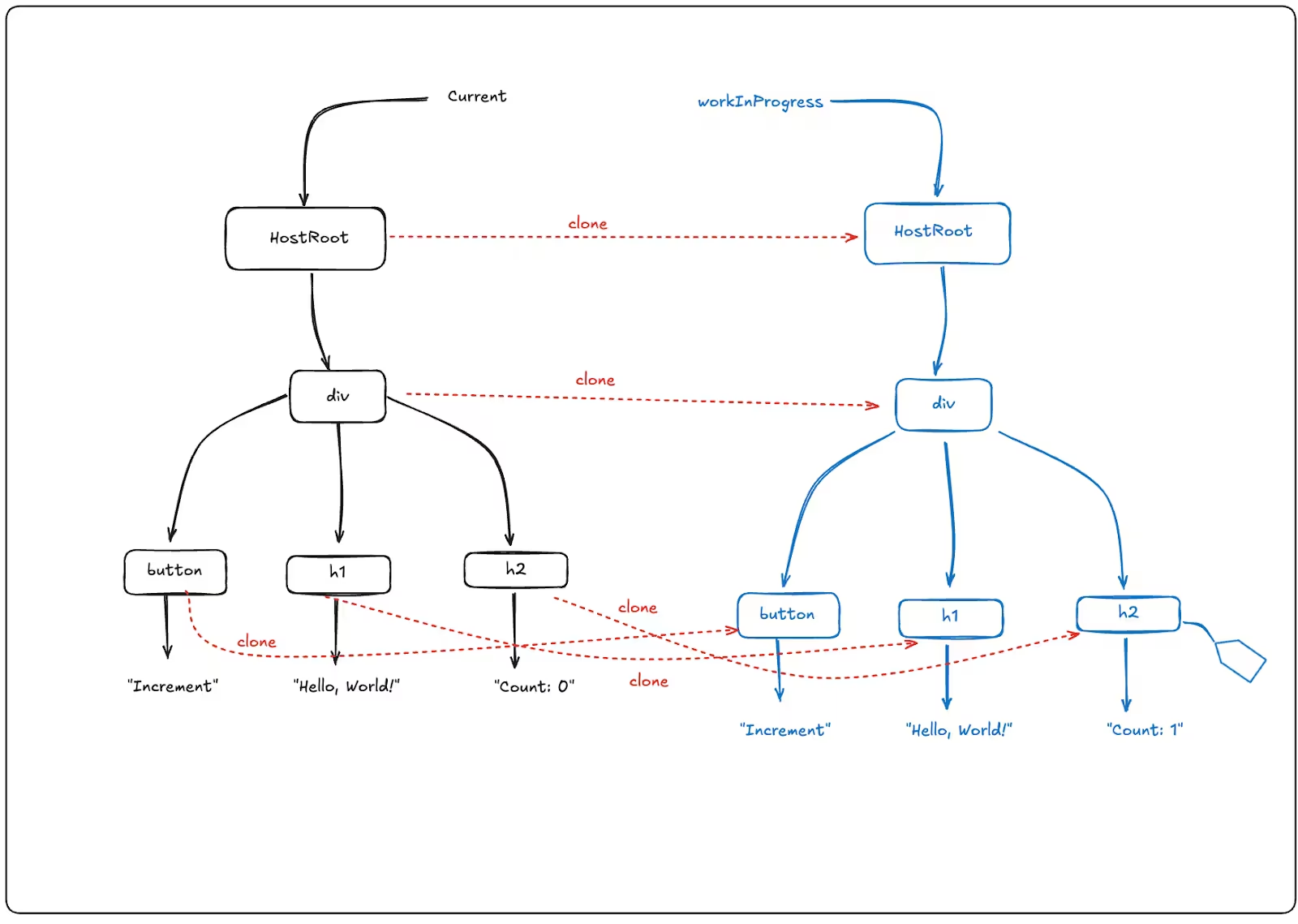
We continue to traverse down the current tree. In this case, the h2 element is different because the count changed from 0 to 1. A new fiber node for the h2 with the updated value of “Count: 1” will be created as part of the Work-In-Progress tree. The beginWork function will then set the appropriate side-effect flag (most likely an Update flag) on this Work-In-Progress h2 fiber node. This flag will be used in the commit phase to determine and apply the necessary DOM effects (i.e., updating the text content).
After reaching the bottom of the tree, React begins traversing upward (from child to parent), calling the completeWork function on each fiber. The function finalizes the Work-In-Progress (WIP) tree that was initiated during the beginWork phase. Once completeWork reaches the root, and the render phase is complete. React then enters the commit phase, where it applies all pending DOM updates (like changing the h2 text from "Count: 0" to "Count: 1") in a single, non-interruptible pass.
Commit Phase
The commit phase is non-interruptible and consists of two phases: the mutation phase and the layout phase.
During the mutation phase, React updates the real DOM with changes made in the virtual DOM (e.g., inserting, deleting, or updating DOM nodes).
During the layout phase, React reads layout information from the updated real DOM using DOM APIs.
In the commit phase, React performs side effects in the following order. Placement Effects (e.g., adding a button), Update Effects (e.g., changes in text), Deletion Effects (e.g., removing a button), Layout Effects (useLayoutEffect hooks run here—after all DOM mutations).
After the commit phase and browser paint, passive effects (useEffect hooks) are scheduled and executed asynchronously.
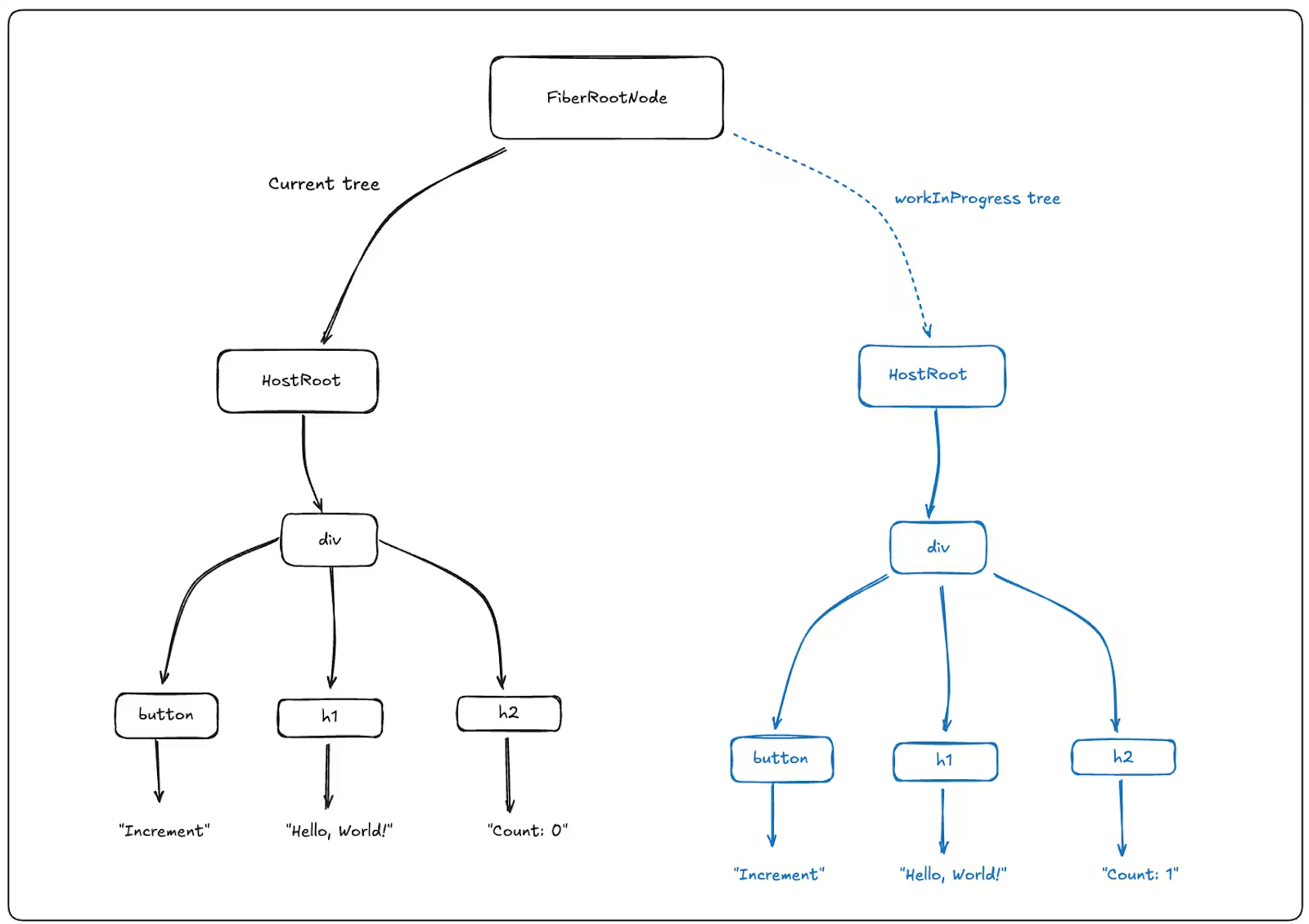
React uses FiberRootNode to maintain a pointer to the current tree and an alternate reference to the Work-In-Progress tree.
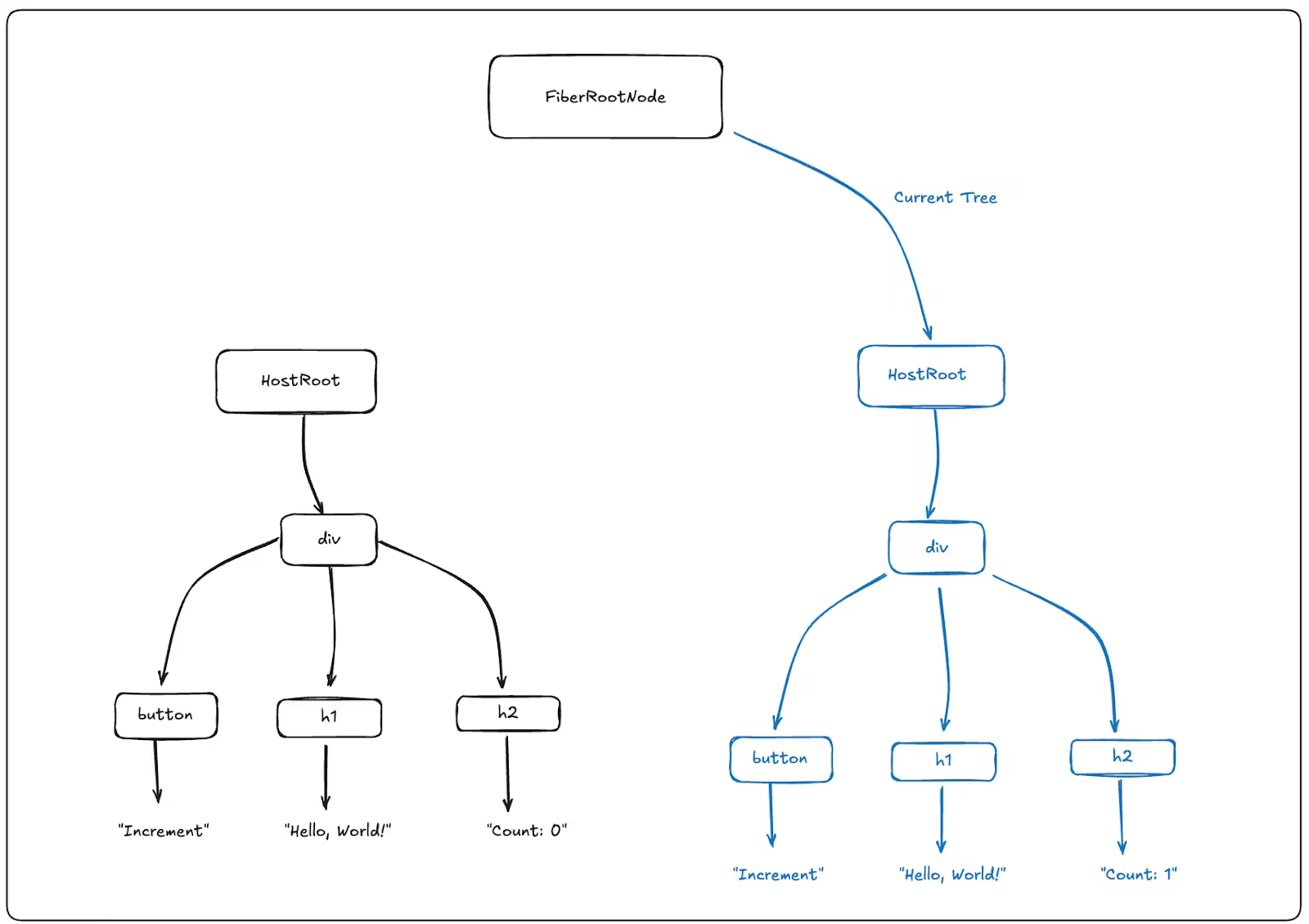
When the rendering phase is complete, React calls the commitRoot function, which applies all of the DOM mutations, runs layout effects, and swaps the root’s pointer from the current tree to the Work-In-Progress tree. Therefore, promoting the Work-In-Progress tree to the new current tree.
Although the entire process involves multiple synchronous and asynchronous steps, it appears instantaneous in the browser.